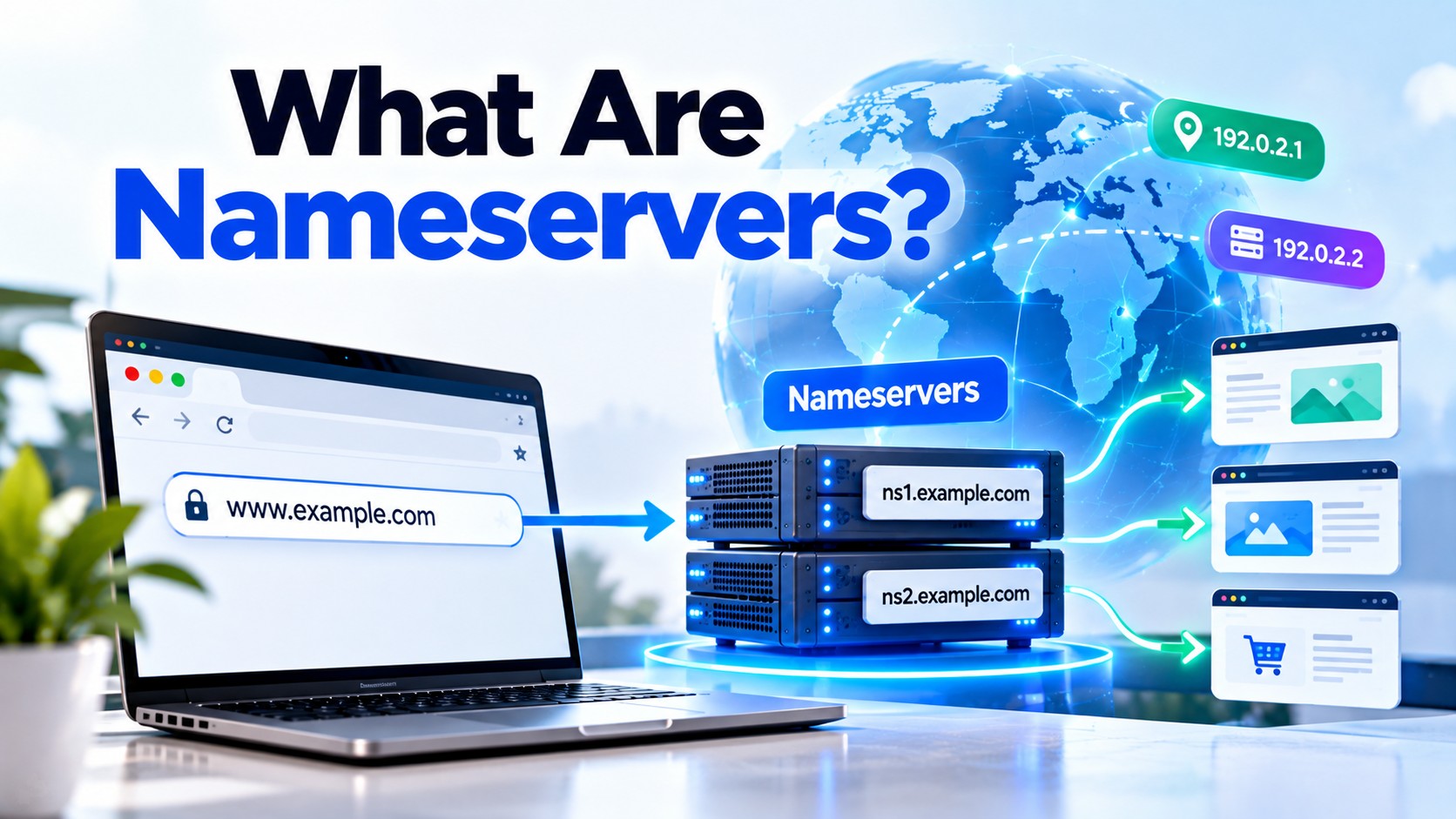
What Are Nameservers? Complete Guide to DNS, Nameservers & Domain Pointing
- By Anis Ur Rahman
- 05 Oct, 2026
You type a web address, press Enter, and a page loads in about a second. Before your browser can load anything, it has to find out which server holds the site. Nameservers are what answer that question.
So, what are nameservers? A nameserver is a server that stores the official records for a domain and tells the internet where that domain's website, email, and other services live. You will usually run into the term when a hosting company says, "Please update your nameservers."
This guide covers what nameservers do, how a lookup works, and how to point your domain to a new host without taking your site or email offline.
Quick Answer: A nameserver is a server that stores a domain's official DNS records, such as the IP address of its website and the mail servers for its email. When someone visits your site, a lookup reaches your nameservers, and they reply with the address to connect to. If your nameservers stop working, the domain can't be found, and your site and email may go down with it.
Who This Guide Is For
You will get the most out of this guide if you:
Just bought your first domain and feel lost
Are moving your website to a new hosting company
Want to use a service like a CDN or a managed DNS provider
Got an email asking you to "update your nameservers"
Are curious about how a domain turns into a website
You do not need a technical background, and every new term is explained as it appears.
What Is a Nameserver?
A nameserver is a computer that stores DNS records for a domain and answers questions about where that domain's services are located.
ICANN, which coordinates the internet's naming system, defines an authoritative name server as a DNS server that hosts the official records for a DNS zone. A zone is simply the set of records for a domain, so the authoritative nameserver is the one place that can give a final answer about it. You can read the full definition in the ICANN glossary entry for authoritative name server.
The list of nameservers for your domain is stored in NS records at the registry that runs your domain ending, such as Verisign for .com. That is how the rest of the internet knows which servers to ask.
Picture a phone book. Your domain name is the person's name, the IP address is the phone number, and your nameserver holds the official copy of the book.
Most domains use at least two nameservers, which often look something like this:
ns1.example-host.com
ns2.example-host.com
Two or more servers give you a backup, since another can still answer if one goes offline.
What Does a Nameserver Do?
A nameserver answers questions about your domain. It tells visitors' devices which IP address, mail server, or other service belongs to your domain name.
Here is what a nameserver usually handles:
Website location: It shares the IP address of the server that hosts your site.
Email routing: It lists the mail servers that receive messages for your domain.
Subdomains: It points names like blog.yourdomain.com to the right place.
Verification and security records: It stores text records that prove you own the domain.
These details live in small entries called DNS records. Common types include A, MX, CNAME, and TXT records, and the NS record is the one that names your nameservers.
Nameservers do not host your website files, since that is your web host's job. The nameserver only tells visitors where the host is.
How Do Nameservers Work?
Nameservers work by answering lookup requests. Your device asks a helper server for an address, and that helper follows a chain of nameservers until it finds the official answer.
It sounds complex, but a lookup follows a fixed order. Here is what happens when you visit yourdomain.com:
You type the address. Your browser needs an IP address, not a name.
Your device asks a recursive resolver. This is a helper server, often run by your internet provider or a public service like Google or Cloudflare.
The resolver checks its cache. If it has a fresh saved answer, it replies right away.
If not, it asks a root nameserver. The root points to the server that handles your domain ending, such as .com.
The TLD nameserver replies. It lists the nameservers assigned to your domain.
Your domain's nameserver gives the final answer. It returns the IP address.
Your browser connects. The page loads, and the resolver saves the answer for next time.
All of this usually takes a fraction of a second. Have you ever noticed a site loading faster on your second visit? Saved answers, known as caching, are part of the reason.
Is a Nameserver the Same as DNS?
No. DNS is the whole system. A nameserver is one type of server inside that system.
DNS stands for Domain Name System. It is the global setup that turns names into IP addresses, and nameservers are the machines that store and share that information.
Back to the phone book: DNS is the whole directory system, and a nameserver is one directory inside it.
Some hosts use "DNS settings" and "nameserver settings" as if they meant the same thing, which adds to the confusion. When in doubt, check whether a setting asks for a server name or for a record.
Why Does a Website Need Nameservers?
A website needs nameservers because browsers cannot find a site by name alone. Nameservers give them the directions. Without nameservers, browsers have no way to turn your domain name into an IP address. Here is what that would break:
Visitors reach your site. Nameservers connect your domain to your host's IP address.
Email keeps working. Mail servers read your DNS records to deliver messages to you.
You control where traffic goes. Change the records, and you can move your site without changing your domain.
Services can connect. Tools like site builders, CDNs, and email platforms often need DNS records to be set up.
A domain name alone is just a label, and nameservers connect it to the servers that do the work.
What Are the Different Types of Nameservers?
Four kinds of DNS servers take part in a lookup: root, TLD, authoritative, and recursive. The first three store information in layers. The recursive resolver does the searching for the user.
When people say "my nameservers," they almost always mean the authoritative ones. Those are the servers you can change at your registrar.
What Happens When Nameservers Go Down?
Visitors can't look up your domain, so your site can fail to load even though your web server is running fine. This is exactly what happened in 2016.
On October 21, 2016, a large DDoS attack hit Dyn, a company that provided DNS for many well-known sites. CircleID's report says Dyn came under attack at about 11:10 UTC. Krebs on Security reported that Twitter, Spotify, and Reddit were among the services affected, and CircleID's coverage also named Netflix.
The attack targeted Dyn, not the sites themselves. Their own servers were running, but people could not look up their addresses because the nameservers holding those answers were overwhelmed. CircleID's coverage quotes Dyn's chief strategist, Kyle York: "This was not your everyday DDoS attack."
For a small site, the practical takeaway is to pick a reputable DNS provider that gives you at least two nameservers. Some larger organizations go further and use more than one DNS provider, a setup called multi-provider DNS.
How Do You Point a Domain to a New Host Using Nameservers?
Pointing a domain means telling the internet which nameservers are in charge of it. You do this at your domain registrar, not at your web host. Three different companies can be involved here, and they are not always the same one:
Follow these steps:
Get your new nameservers. Your host or DNS provider will list them, usually two or more.
Copy your existing DNS records. Export or screenshot every record, especially email (MX) records. Your old records do not move to the new provider on their own.
Add the same records at the new provider. Make sure the website, email, and verification records match.
Log in to your registrar. This is the company where you bought the domain.
Find the nameserver setting. It is often called "Nameservers," "DNS," or "Domain management."
Replace the old nameservers with the new ones. Paste them in exactly as given, with no extra spaces.
Save and wait. After a few hours, check your site and email. A command like nslookup -type=ns yourdomain.com shows which nameservers the internet currently sees.
Keep the old DNS setup active until the new one works. If something looks wrong, you can switch back without a long outage.
Should You Change Nameservers or DNS Records?
Change nameservers to hand all DNS control to a new provider. Change a single record to repoint just one service.
If your host only says "point your domain," read their instructions closely. Some ask for nameservers, others for one record. Changing nameservers when you only needed a record can break email and other services that were working.
How Long Do Nameserver Changes Take?
Most nameserver changes show up within a few hours, but it can take up to 48 hours. This delay is often called DNS propagation. Exact timing varies by registrar, provider, and cache.
Propagation is really saved answers expiring at different times. Each saved record carries a timer called TTL, short for time to live. Until it runs out, some resolvers may keep serving the old information.
TTL is usually adjustable. For example, Cloudflare's nameserver options documentation lists a default nameserver TTL of 24 hours (86,400 seconds) and allows values as low as 30 seconds. Other providers use different defaults, so check yours. A common tip is to lower the TTL on your current records a day or two before a planned move.
What Mistakes Should You Avoid When Changing Nameservers?
The most common ones are skipping the record copy, mistyping a nameserver, and forgetting email records. Watch out for these:
Skipping the record copy. New nameservers start with a blank or default record set unless you recreate yours.
Typos. One wrong letter can break your whole domain.
Using only one nameserver. Always list at least two.
Mixing old and new nameservers. This can send visitors to different places.
Forgetting email records. Your site may work while your email silently fails.
Leaving DNSSEC on by mistake. If your domain uses DNSSEC, an old DS record at your registrar can stop the domain from resolving after the move. Check this before you switch.
Key Takeaway
Nameservers are your domain's official directory, storing your DNS records and telling the internet where your website and email live. DNS is the whole system, and nameservers are the servers inside it. To switch DNS providers, update your nameservers at your registrar, then give the change time to spread.
Conclusion
Nameservers answer one question: where does this domain live? If you are about to change them, copy your records first, double-check the new nameserver names, and allow time for the update to spread.
Frequently Asked Questions About Nameservers
What is a nameserver?
A nameserver is a server that stores the official DNS records for a domain. It tells browsers and email systems which IP addresses and services belong to that domain name.
What does a nameserver do?
A nameserver answers lookup requests. It shares the location of your website, your mail servers, and your subdomains, so visitors and email senders can reach you.
How do nameservers work?
A helper server called a recursive resolver asks the DNS hierarchy for an address. It starts at the root, moves to the domain-ending (TLD) servers, and then reaches your domain's nameserver for the final answer.
Is a nameserver the same as DNS?
No. DNS is the full system that connects names to IP addresses. A nameserver is one kind of server that works inside that system.
Why does a website need nameservers?
Browsers need an IP address to load a site, and nameservers supply it. Without working nameservers, people cannot find your website, and your email may fail too.
Where do I find my domain's nameservers?
Check your registrar's dashboard under "Nameservers" or "DNS." You can also run nslookup -type=ns yourdomain.com (Windows or macOS) or dig NS yourdomain.com (macOS or Linux), or use an online WHOIS or DNS lookup tool.
Do I need to change nameservers or just the A record?
It depends on your goal. Change nameservers if you want a new provider to control all your DNS. Change only the A record if you just want your website to point to a new server.
Why is my site down after I changed nameservers?
Common causes are missing DNS records at the new provider, a typo in a nameserver name, a leftover DNSSEC record at the registrar, or a change that has not finished spreading. Check your records first, then wait and test again.

Author By
Anis Ur Rahman
Anis Ur Rahman writes domain and web hosting–related articles on behalf of Ummah Host BD. He works with domain name selection, web hosting, BDIX hosting, and website performance, and creates informational guides based on practical experience to help users make informed decisions. His writing focuses on providing reliable, easy-to-understand, and decision-supportive content.
Search Blog
Categories
- Problem Solving 3
- RDP Hosting 4
- SMS Service 17
- IP Number 11
- Reseller Hosting 5
- Promo Offer 2
- Achieve 3
- SSD Hosting 5
- cPanel Hosting 7
- BDIX Hosting 7
- Email Hosting 4
- Dedicated Server 7
- User Guide 0
- Security 4
- Online security 6
- Business 5
- SEO 3
- VPS Hosting service 31
- Manage Hosting 1
- domain hosting service 29
- Domain 1
- Hosting 40