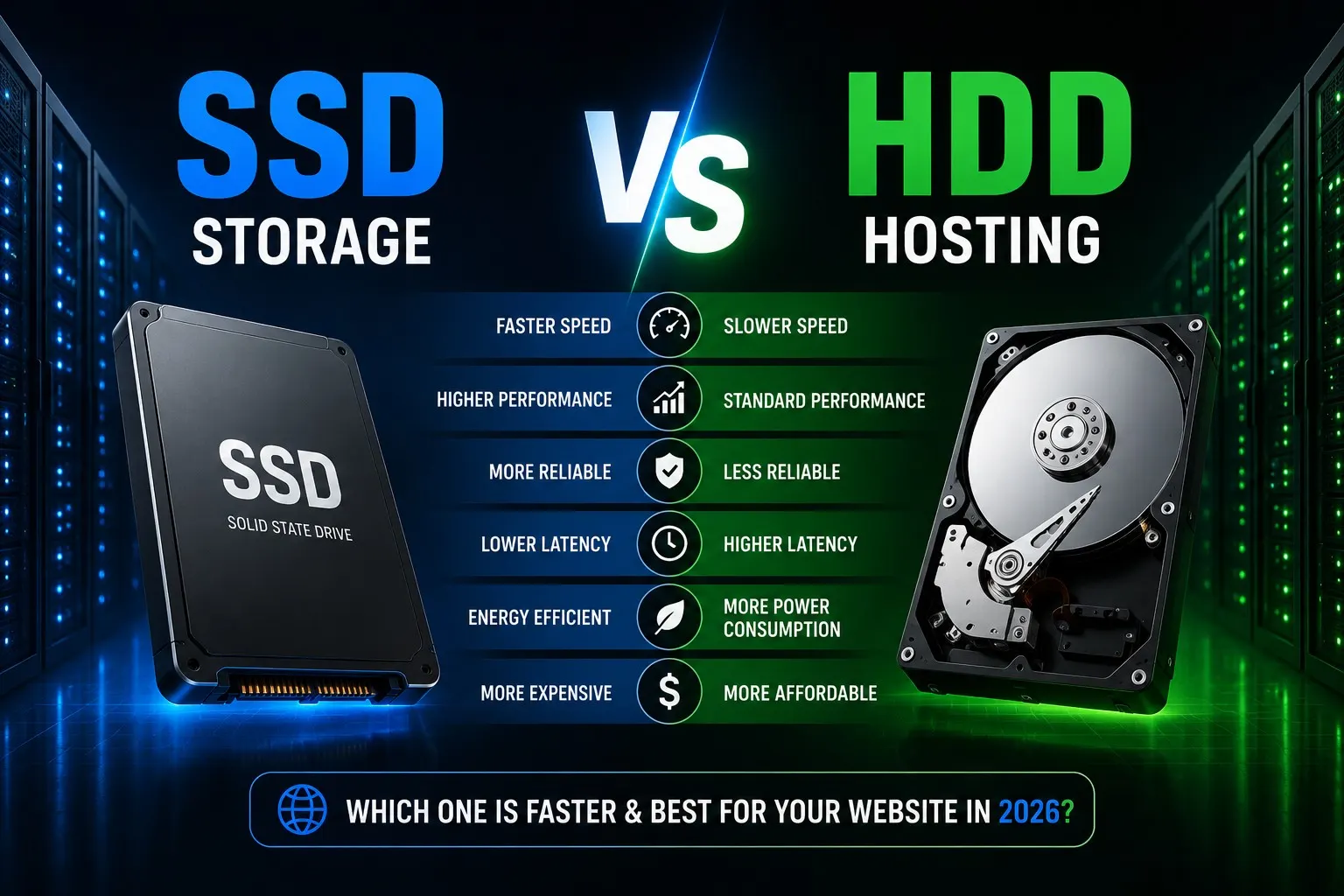
SSD Storage vs HDD Hosting: Which One Is Faster & Best for Your Website in 2026?
- By Anis Ur Rahman
- 26 Dec, 2025
Last Updated: 4 Jun 2026 | Read Time: 10 Minute
Your hosting storage type directly impacts your website's speed, user experience, and Google rankings. If you're still using HDD hosting in 2025, you're leaving performance on the table.
Here's the bottom line: SSD hosting is significantly faster than HDD hosting due to lower latency, faster disk access time, and improved server response time.
Let me show you exactly why this matters and which storage you should choose.
What Is SSD Storage vs HDD Hosting?
What Is SSD Hosting?
SSD (Solid State Drive) uses flash memory to store data—no moving parts, no spinning disks. When your host uses SSD, every file request and database query happens almost instantaneously.
Major providers like Ummah Host BD , SiteGround, and Cloudways use SSD as their standard for good reason.
What Is HDD Hosting?
HDD (Hard Disk Drive) uses traditional mechanical drives with spinning platters. A physical read/write head moves to access data, like an old record player.
While HDDs store data cheaply, they're inherently slower. Every file retrieval requires mechanical movement, which takes time.
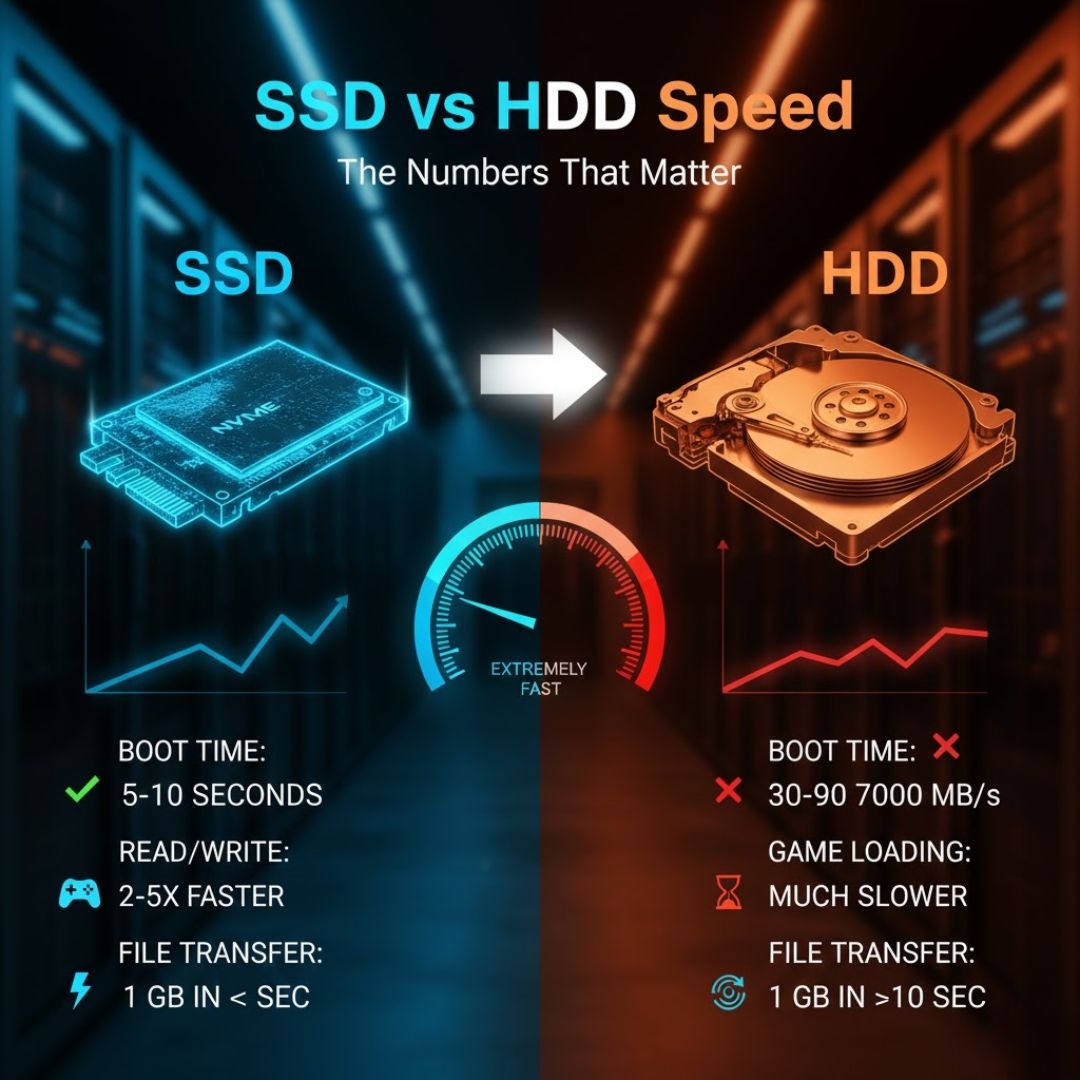
SSD Storage vs HDD Hosting Speed: The Numbers That Matter
Disk Access Time
Access time is how long your storage takes to locate and read data.
SSD access time: 0.1ms or less
HDD access time: 5-10ms
That's a 50-100x difference. When WordPress makes dozens of database queries per page, those milliseconds stack up fast.
Real example: I migrated a WooCommerce store from HDD to SSD hosting. Load time dropped from 4.5 seconds to 1.2 seconds. Same server, same setup—only the storage changed.
Latency and TTFB
What is good latency for web hosting? Under 1 millisecond is optimal. SSD delivers 0.1-0.2ms. HDD? You're looking at 5-15ms.
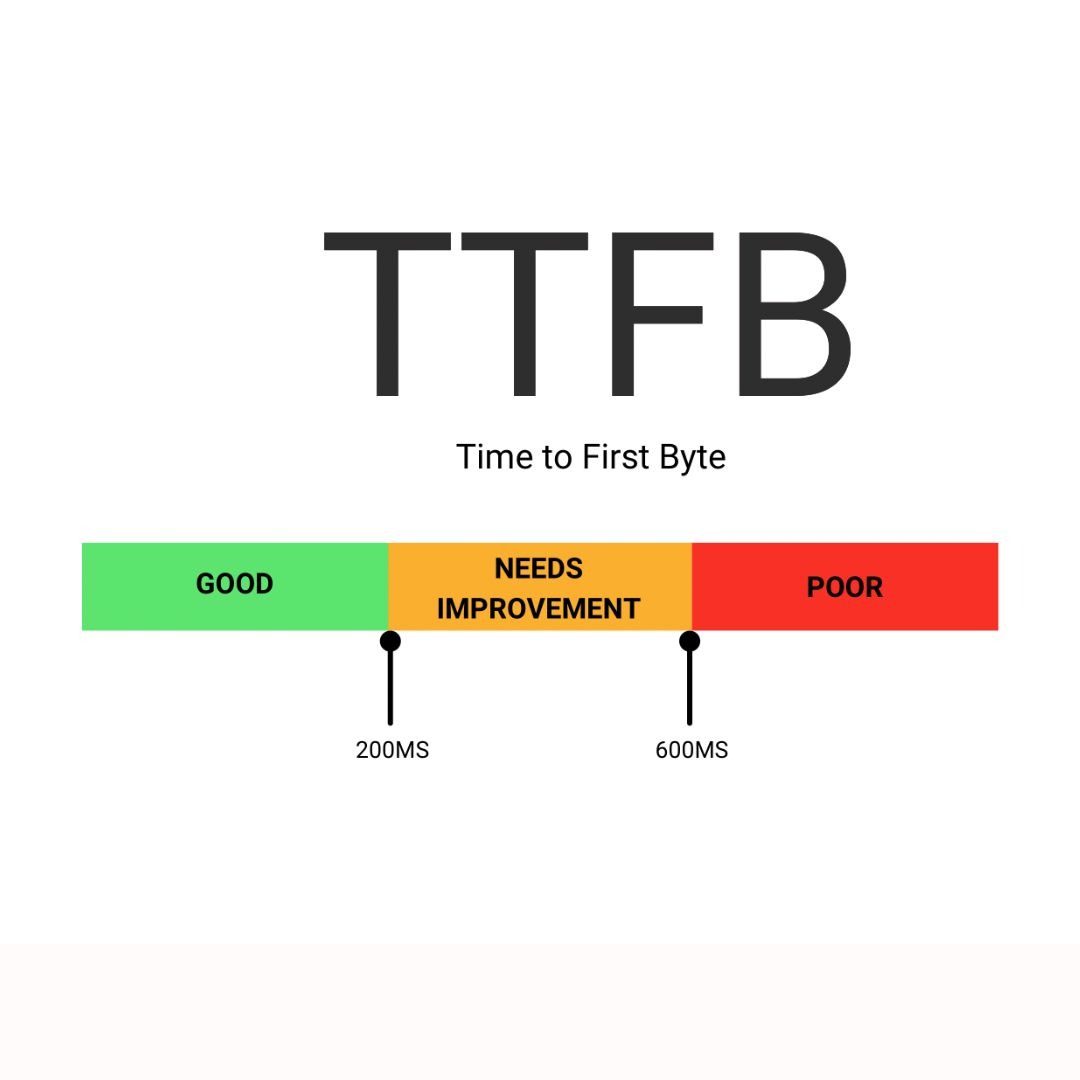
What is a good TTFB for websites? Aim for under 200ms. A 2024 GTmetrix study analyzing 100,000 sites found:
SSD-hosted sites averaged 180ms TTFB
HDD-hosted sites averaged 420ms TTFB
Google considers TTFB under 200ms excellent. Above 500ms hurts your rankings.
Page Load Speed Impact
SSD hosting reduces page load time by 40-70% compared to HDD, depending on your configuration. This directly affects Google's Core Web Vitals, especially Largest Contentful Paint (LCP), which should happen within 2.5 seconds.
Learn Complete Technical Guide: BDIX Hosting Speed, Latency & Performance Explained
SSD Hosting Performance for Modern Websites
How Storage Affects Performance
When someone visits your site:
Server receives the request
CMS queries your database (50-100 times for WordPress)
Theme files and images load from storage
Everything processes into HTML
Page sends to your visitor
Every data retrieval step depends on storage speed. With HDD, each query creates a bottleneck. These compounds quickly.
For e-commerce: A 100ms delay reduces conversions by 7% (Akamai research). If HDD adds 500-1000ms to your loads, you're likely to lose customers before they can see your products.
HDD Hosting in 2026: Still Relevant?
Is HDD Hosting Outdated?
For active websites? Yes, absolutely.
Major providers like AWS, Ummah Host BD, and DigitalOcean default to SSD. Even budget hosts like Hostinger switched to SSD.
Why HDD doesn't work anymore:
Modern CMS platforms are database-intensive
HDDs have mechanical parts that fail (3-5 year lifespan)
Performance degrades as your site grows
Can't handle traffic spikes effectively
When HDD Still Makes Sense
Only three scenarios:
Archive and backup storage: Old files you rarely access. Speed doesn't matter for backups.
Cold data storage: Media archives, historical logs, security footage—massive storage beats speed.
Development environments: Some developers use HDD for local testing, though SSD improves productivity enough to justify the cost.
For your live website? There's no good reason to use HDD in 2026.
NVMe SSD vs SATA SSD

What Is an NVMe SSD?
NVMe connects directly to your server's PCIe bus—like an express highway versus SATA's busy city road.
NVMe reaches 3,000-7,000 MB/s. SATA SSD maxes at 550 MB/s.
Is NVMe Better Than SATA SSD?
For high-traffic sites, yes. NVMe handles concurrent users better, reduces CPU overhead, and cuts latency to 0.02-0.05ms.
Is SATA SSD Enough?
For most sites, yes. SATA SSD works perfectly for:
Blogs under 10,000 monthly visitors
Small business websites
Portfolio sites
Simple e-commerce (under 100 products)
You'll still get 50-100x better performance than HDD. The SATA-to-NVMe jump, while measurable, won't transform your experience as HDD-to-SSD does.
Save NVMe for high-traffic sites (50,000+ monthly visitors) or database-heavy applications.
Learn Our Full Guide in 2026: NVMe SSD vs SATA SSD Hosting
Does SSD Hosting Improve SEO?
Yes, SSD hosting improves SEO indirectly by reducing page load time, improving TTFB, and enhancing user experience.
Google doesn't check your storage type directly. But Core Web Vitals and page experience signals heavily influence rankings—and storage directly impacts these metrics.
The connection:
SSD → Faster loads
Faster loads → Better Core Web Vitals
Better Core Web Vitals → Improved user experience
Better UX → Lower bounce rates, higher engagement
Higher engagement → Better SEO
Explore our full guide: Does SSD Hosting Improve SEO in 2025
Best Hosting Storage Type in 2026
Clear Verdict: SSD Wins
SSD hosting is the clear winner for any active website. The performance gap is too wide. The cost difference is negligible.
Use HDDs only for backups, archives, or rarely accessed data.
Recommended by Website Type
Blog or content site (under 50,000 visitors/month):
SATA SSD. Excellent performance at reasonable prices. Try Ummah Host BD, Hostinger, or A2 Hosting.
Business website:
SATA SSD unless you have high traffic or complex functionality.
E-commerce store:
Start with SATA SSD for under 500 products. Upgrade to NVMe once you process 50+ daily orders or manage 1,000+ products.
High-traffic website (100,000+ visitors/month):
NVMe SSD. Consider Kinsta, WP Engine, or Cloudways. Performance consistency during traffic spikes justifies the cost.
Backup and archive:
HDD is fine. Use it for automated backups or old files you rarely access.
How Much SSD Storage Do You Need?
Small websites: 10-20 GB. WordPress uses ~1 GB. Add 5-10 GB for themes, plugins, and content.
Medium websites: 40-100 GB. Active blogs and small e-commerce sites with a few hundred products.
Large websites: 100 GB+. News sites, large stores, and membership sites with extensive content.
Storage Planning Tips
Plan for growth: Buy 2-3x what you currently need
Use CDNs for media: Offload images/videos to Cloudflare or AWS S3
Database size is small: Even 10,000+ WordPress posts use under 500 MB
Monitor usage: If you're above 70% capacity, upgrade before issues arise
Frequently Asked Questions on SSD Storage vs HDD Hosting
Which hosting is faster: SSD or HDD?
SSD is 50-100x faster with access times under 0.1ms versus HDD's 5-10ms.
Why is SSD hosting better?
Flash memory with no moving parts delivers faster access, better reliability, and consistent performance under load.
Is HDD hosting outdated in 2025?
Yes, for active websites. Only use HDD for backups and archives.
What is good latency for web hosting?
Under 1ms is optimal. SSD achieves 0.1-0.2ms; HDD averages 5-15ms.
Is page load speed important for SEO?
Yes. Page speed is a confirmed Google ranking factor affecting Core Web Vitals and user engagement.
Final Verdict: Choose SSD Now
The evidence is clear: SSD hosting is essential to website speed performance.
Start with an SATA SSD for 95% of websites. Upgrade to NVMe when traffic demands it. Still on HDD?
Migrate now. Every day costs you visitors, conversions, and rankings. Most hosts make upgrades simple. Many include SSD as standard.
Make 2026 the year you stop accepting good enough. Your website deserves the performance advantage that SSD provides.
Learn More:

Author By
Anis Ur Rahman
Anis Ur Rahman writes domain and web hosting–related articles on behalf of Ummah Host BD. He works with domain name selection, web hosting, BDIX hosting, and website performance, and creates informational guides based on practical experience to help users make informed decisions. His writing focuses on providing reliable, easy-to-understand, and decision-supportive content.
Search Blog
Categories
- Problem Solving 3
- RDP Hosting 4
- SMS Service 17
- IP Number 11
- Reseller Hosting 5
- Promo Offer 2
- Achieve 3
- SSD Hosting 5
- cPanel Hosting 7
- BDIX Hosting 7
- Email Hosting 4
- Dedicated Server 7
- User Guide 0
- Security 4
- Online security 6
- Business 5
- SEO 3
- VPS Hosting service 31
- Manage Hosting 1
- domain hosting service 29
- Domain 1
- Hosting 40