Artificial intelligence is changing how people study, work, create content, manage businesses, and solve everyday problems. The best part is that you do not need an expensive subscription to start using AI. Several powerful platforms offer free access to tools for writing, research, graphic design, translation, coding, and productivity.
But with hundreds of AI applications available, finding the right one can be confusing. Some tools are excellent for writing, while others specialize in research, presentations, document analysis, or software development.
In this comprehensive guide, we explore the 10 best free AI tools in 2026, explain what each platform does, show you how to use it step by step, provide practical examples, and discuss important free-plan limitations.
Whether you are a student, freelancer, content creator, developer, or small business owner, this guide will help you discover AI tools that match your needs.
Last Updated: October 2026. Free-plan features and usage limits may change. Always check the official provider before relying on a particular feature.
What Are Free AI Tools?
Free AI tools are software applications that use artificial intelligence to assist users with specific tasks without requiring an initial paid subscription.
These applications can generate written content, answer questions, translate languages, analyze documents, improve grammar, create graphics, and assist with programming.
However, most popular AI platforms use a freemium model. This means their basic services are available for free, while advanced capabilities, higher usage limits, and premium features may require payment.
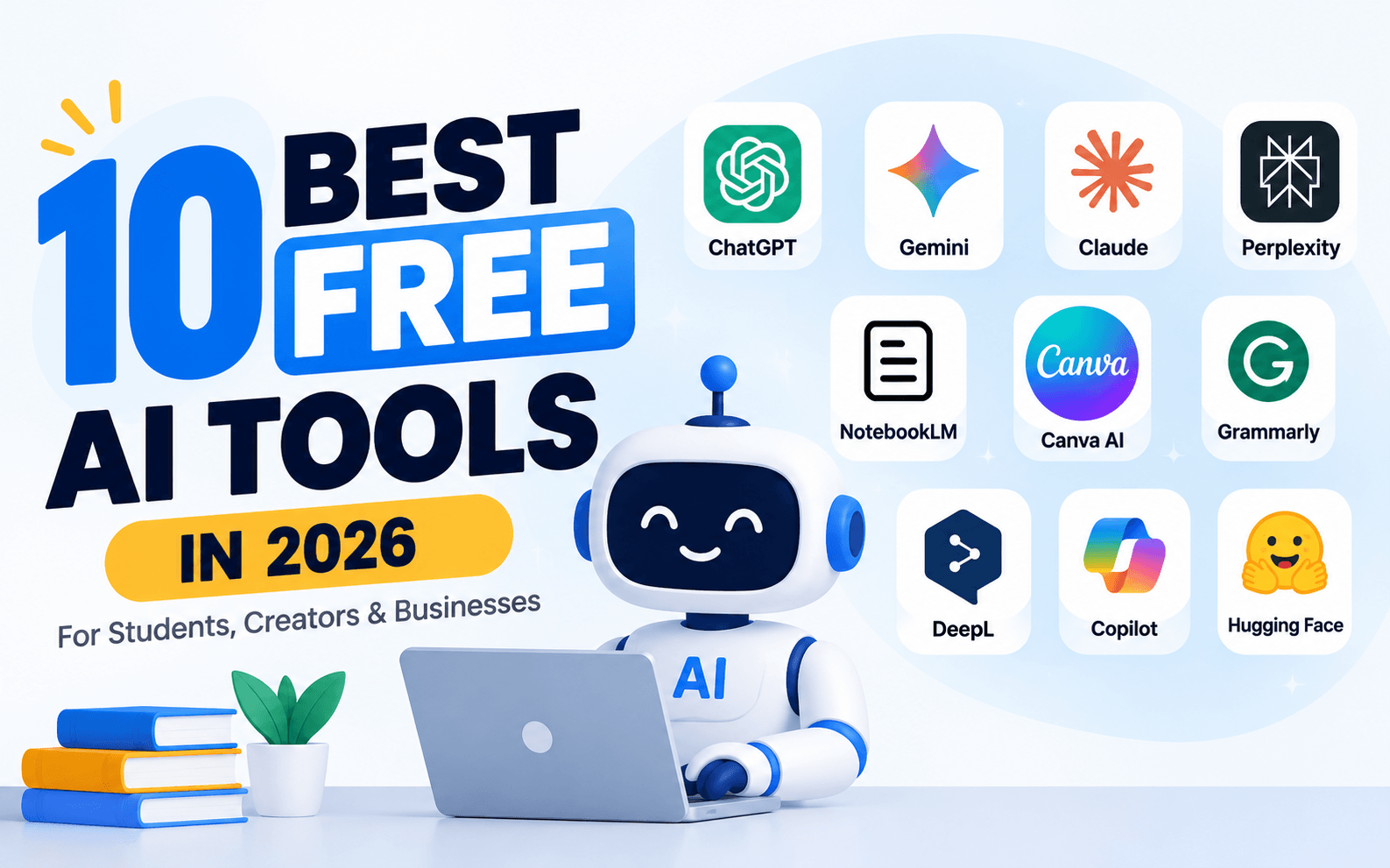
10 Best Free AI Tools in 2026: Quick Comparison
The following comparison table summarizes the main purpose of each AI platform and who should consider using it.
| AI Tool | Best For | Main Uses | Free Access |
|---|---|---|---|
| ChatGPT | General AI Assistance | Writing, coding, learning | Yes, with limits |
| Google Gemini | Learning and Productivity | Research, explanations, ideas | Yes, with limits |
| Claude | Professional Writing | Analysis, documents, coding | Yes, with limits |
| Perplexity AI | Online Research | Search, sources, comparisons | Yes, with limits |
| Gemini Notebook (NotebookLM) | Document Research | Study notes, summaries | Yes, with limits |
| Canva AI | Graphic Design | Presentations, social graphics | Limited free features |
| Grammarly | English Writing | Grammar, clarity, editing | Limited free features |
| DeepL | Translation | Multilingual communication | Limited free access |
| Microsoft Copilot | Daily Productivity | Questions, writing, planning | Yes, with limits |
| Hugging Face | AI Development | Models, datasets, applications | Free community access |
1. ChatGPT – Best Free AI Tool for Everyday Tasks
What Is ChatGPT?
ChatGPT is a conversational artificial intelligence assistant developed by OpenAI. It helps users complete a wide range of tasks using natural-language instructions.
Instead of learning complicated commands, you can simply describe what you want. ChatGPT can then generate an answer, explanation, draft, outline, or other supported output.
What Can You Do With ChatGPT?
- Write blog articles and social media captions.
- Generate business emails and professional proposals.
- Explain difficult educational topics.
- Write and debug programming code.
- Brainstorm business and marketing ideas.
- Summarize information and prepare study notes.
- Analyze supported files and images within applicable limits.
How to Use ChatGPT for Free
- Visit the official ChatGPT website.
- Sign in or create an account when required.
- Open a conversation.
- Type a clear instruction describing your task.
- Specify the preferred language, format, and length.
- Review the generated answer.
- Ask follow-up questions to improve the result.
Practical Example
Example Prompt:
Write a professional 600-word article explaining the benefits of cloud hosting for small businesses. Include an introduction, five advantages, practical examples, and a conclusion. Use simple English.
ChatGPT can generate a structured draft based on these instructions. You should review the information, add original examples, and verify technical claims before publishing.
Free Plan: ChatGPT provides free access to everyday AI assistance. Advanced capabilities and selected tools have separate usage restrictions.
Best For: Students, bloggers, freelancers, developers, and business professionals.
Official Website: https://chatgpt.com/
2. Google Gemini – Best Free AI Tool for Learning and Productivity
What Is Google Gemini?
Google Gemini is an artificial intelligence assistant developed by Google. It helps users understand information, generate ideas, answer questions, and complete everyday tasks.
Gemini is particularly useful for students and people who regularly work with Google's digital ecosystem.
What Can You Do With Gemini?
- Explain academic subjects in simple language.
- Generate article ideas and outlines.
- Help understand technical concepts.
- Assist with supported image and document tasks.
- Prepare study plans and learning materials.
- Answer coding and technology-related questions.
How to Use Google Gemini
- Open the official Gemini website.
- Sign in with a supported Google account.
- Enter your question in the conversation box.
- Provide additional information if necessary.
- Review the response and ask follow-up questions.
- Verify important information using reliable sources.
Practical Example
Explain the difference between cloud computing and traditional web hosting for a beginner. Include real-world examples and a simple comparison table.
Gemini can organize the explanation into understandable sections, making it useful for students and people learning new subjects.
Free Plan: Free access is available, although advanced models and selected features may have restrictions.
Best For: Students, researchers, educators, and everyday Google users.
Official Website: https://gemini.google.com/
3. Claude – Best Free AI Tool for Writing and Document Analysis
What Is Claude?
Claude is an AI assistant developed by Anthropic. It is designed to help users work with written information, solve problems, create content, and perform analytical tasks.
Claude is worth exploring when you need assistance with professional communication, structured writing, document review, or programming.
What Can You Do With Claude?
- Draft professional reports and proposals.
- Improve article structure and readability.
- Analyze supported documents.
- Summarize complicated information.
- Assist with programming and debugging.
- Organize business plans and project documentation.
How to Use Claude for Free
- Visit Claude's official website.
- Create an account or sign in.
- Start a new conversation.
- Describe your task clearly.
- Add relevant text or supported files if necessary.
- Review the generated response.
- Request revisions until the output matches your needs.
Practical Example
Review this business proposal and improve its professional tone. Correct unclear sentences, organize the content into logical sections, and provide a short summary of the improvements. Do not change the original meaning.
This type of instruction is useful for business owners who regularly prepare proposals, company profiles, and professional communication.
Free Plan: Claude offers free access, with usage restrictions compared with paid subscriptions.
Best For: Writers, business professionals, researchers, and developers.
Official Website: https://claude.ai/
4. Perplexity AI – Best Free AI Search and Research Tool
What Is Perplexity AI?
Perplexity is an AI-powered answer and search platform that helps users research questions and discover information from online sources.
Unlike a conventional search workflow where you manually open multiple results, Perplexity can organize information into a conversational response with links to relevant sources.
What Can You Do With Perplexity?
- Research technology and business topics.
- Find information from online sources.
- Compare products and software.
- Explore unfamiliar subjects.
- Discover references for research projects.
- Ask follow-up questions about search results.
How to Use Perplexity AI
- Visit the official Perplexity website.
- Enter a specific research question.
- Read the AI-generated answer.
- Open the linked references.
- Compare important claims with their original sources.
- Ask follow-up questions for additional details.
Practical Example
Compare VPS hosting and shared hosting for small business websites. Explain performance, security, management requirements, and scalability. Include links to relevant sources.
Perplexity can help you discover information and supporting references. However, source links do not automatically guarantee that every statement is correct.
Free Plan: Basic access is available, while advanced research capabilities may have usage limits.
Best For: Students, researchers, bloggers, and professionals.
Official Website: https://www.perplexity.ai/
5. Gemini Notebook (Formerly NotebookLM) – Best Free AI Tool for Studying Documents
What Is Gemini Notebook?
Gemini Notebook, previously known as Google NotebookLM, is an AI-powered research and learning tool designed to help users understand information from selected sources.
It is especially useful when you want to study documents rather than rely entirely on general AI-generated knowledge.
What Can You Do With It?
- Organize research materials into notebooks.
- Summarize supported PDF documents.
- Generate study notes and explanations.
- Ask questions about uploaded sources.
- Explore supported audio overviews.
- Prepare learning materials from documents.
How to Use Gemini Notebook
- Open Google's official notebook application.
- Sign in with a supported Google account.
- Create a new notebook.
- Add your PDF, document, website, or supported source.
- Allow the application to process the information.
- Ask questions about the uploaded materials.
- Review the generated response and source references.
Practical Example
Imagine you have a 50-page educational document and need to prepare for an examination.
Summarize this document into 15 important points. Explain the five most difficult concepts in simple English. Create 10 multiple-choice questions with answers.
The platform can help transform source materials into more manageable learning resources.
Free Plan: A free Standard plan is available, subject to notebook, source, and feature usage limits.
Best For: Students, teachers, researchers, and business analysts.
Official Website: https://notebooklm.google.com/
6. Canva AI – Best Free AI Tool for Graphic Design and Content Creation
What Is Canva AI?
Canva is an online graphic design platform that provides templates, visual editing tools, and selected AI-assisted creative features.
It is useful for people who want to create professional-looking graphics without learning complicated design software.
What Can You Create With Canva?
- Facebook and Instagram graphics.
- Blog featured images.
- Business presentations.
- Marketing banners and posters.
- Educational visual materials.
- Simple promotional designs.
How to Use Canva AI
- Visit Canva and register for a free account.
- Choose your preferred design format.
- Select a template or start with a blank design.
- Explore the AI-assisted features available to your account.
- Enter your creative instructions where supported.
- Customize the text, layout, colors, and images.
- Download your design using an available export option.
Practical Example
Create a modern Facebook promotional banner for a cloud hosting company. Use a blue technology-themed background, a cloud server illustration, and a clean professional layout.
You can then customize the design with your own company logo, product information, and promotional message.
Free Plan: Canva offers free design features. Some AI capabilities, premium templates, assets, and advanced options require payment.
Best For: Content creators, marketers, students, and small businesses.
Official Website: https://www.canva.com/
7. Grammarly – Best Free AI Tool for English Writing
What Is Grammarly?
Grammarly is a writing assistance platform that helps users identify mistakes and improve written English.
It is useful for students, professionals, and anyone who regularly communicates through emails, articles, reports, or business documents.
What Can Grammarly Help You Do?
- Identify spelling mistakes.
- Detect common grammar errors.
- Improve sentence clarity.
- Review writing suggestions.
- Prepare clearer professional communication.
- Access selected AI-assisted writing features.
How to Use Grammarly
- Open the Grammarly website.
- Create a free account.
- Open its writing interface or supported extension.
- Paste or type your English content.
- Review the suggested corrections.
- Accept or reject individual suggestions.
- Read the final version before publishing.
Practical Example
Original Sentence:
He don't knows how to install the software.
Corrected Sentence:
He doesn't know how to install the software.
Grammarly can help identify this type of mistake and suggest improvements to your writing.
Free Plan: Basic writing assistance is available. Advanced features and additional AI usage may require payment.
Best For: Students, bloggers, freelancers, and business professionals.
Official Website: https://www.grammarly.com/
8. DeepL – Best Free AI Tool for Language Translation
What Is DeepL?
DeepL is an AI-powered language technology platform that provides translation and related writing services for supported languages.
It can help users communicate with international customers, understand foreign-language materials, and prepare multilingual content.
What Can You Do With DeepL?
- Translate text between supported languages.
- Understand foreign-language information.
- Prepare multilingual business communication.
- Translate supported documents.
- Review alternative translations where available.
How to Use DeepL
- Visit the official DeepL website.
- Select your source language.
- Choose the target language.
- Paste the text you want to translate.
- Review the generated translation.
- Check important wording before professional use.
Practical Example
Original English:
Thank you for contacting our technical support team. We will review your request shortly.
Example Spanish Translation:
Gracias por ponerse en contacto con nuestro equipo de soporte técnico. Revisaremos su solicitud en breve.
DeepL can help with multilingual communication, although important legal, medical, and contractual translations should receive qualified human review.
Free Plan: Limited free translation access is available. Supported languages and usage restrictions apply.
Best For: Translators, international businesses, students, and professionals.
Official Website: https://www.deepl.com/
9. Microsoft Copilot – Best Free AI Tool for Everyday Productivity
What Is Microsoft Copilot?
Microsoft Copilot is an AI assistant that helps users answer questions, generate ideas, draft content, and complete everyday productivity tasks.
It can be a convenient option for people already familiar with Microsoft's digital products and services.
What Can You Do With Copilot?
- Generate business and marketing ideas.
- Draft written content.
- Explain unfamiliar concepts.
- Prepare checklists and outlines.
- Assist with planning and brainstorming.
- Answer general questions.
How to Use Microsoft Copilot
- Visit the official Copilot website.
- Sign in if required for your intended features.
- Enter a question or task description.
- Provide relevant context.
- Review the generated response.
- Request additional details or improvements.
Practical Example
Create a seven-day productivity schedule for a small business owner. Include marketing, customer support, financial review, employee management, and learning activities. Present the result in a simple table.
Copilot can help organize these activities into a structured plan that you can customize.
Free Plan: Free consumer access is available. Premium Microsoft 365 integrations and selected advanced capabilities may require separate subscriptions.
Best For: Professionals, students, business owners, and everyday users.
Official Website: https://copilot.microsoft.com/
10. Hugging Face – Best Free AI Platform for Developers
What Is Hugging Face?
Hugging Face is a platform where developers and researchers can discover AI models, datasets, community applications, and machine learning resources.
Unlike conventional AI chatbots, Hugging Face is especially useful for exploring how artificial intelligence applications are developed and deployed.
What Can You Do With Hugging Face?
- Explore publicly available AI models.
- Discover machine learning datasets.
- Experiment with supported community applications.
- Learn about AI model deployment.
- Find resources for development projects.
- Explore self-hosted AI possibilities.
How to Use Hugging Face
- Visit the Hugging Face website.
- Create a free account if required.
- Open the Models section.
- Search for a model related to your task.
- Read its documentation and model card.
- Check the applicable software license.
- Try an available demonstration or follow deployment instructions.
Practical Example
Suppose you want to build a tool that summarizes customer feedback automatically.
You can explore text summarization models, review their capabilities, and experiment with a compatible model using the available development resources.
Free Plan: Free community access is available. Dedicated computing resources and some hosted services may require payment.
Best For: Developers, AI researchers, machine learning students, and technology enthusiasts.
Official Website: https://huggingface.co/
Best Free AI Tools for Students
Students can benefit from AI tools when they are used to support learning rather than replace independent thinking.
For example, ChatGPT and Gemini can explain difficult concepts, while Gemini Notebook can help students study information from their own documents.
Perplexity is useful for discovering research sources, and Grammarly can help improve written English.
A practical student workflow might include:
- Use Perplexity to discover relevant research materials.
- Collect useful documents and verify their sources.
- Use Gemini Notebook to organize study notes.
- Ask ChatGPT or Gemini to explain difficult concepts.
- Write your assignment independently.
- Use Grammarly to review your English.
Always follow your institution's academic integrity rules when using AI-generated content.
Best Free AI Tools for Small Businesses
Small businesses can use free AI software to improve productivity without immediately investing in expensive software subscriptions.
For example, a small online business could use ChatGPT to brainstorm product descriptions, Canva to design social media graphics, and Grammarly to improve customer communication.
Perplexity can assist with market research, while Copilot can help organize daily activities.
| Business Task | Suggested AI Tool |
|---|---|
| Marketing Ideas | ChatGPT |
| Social Media Graphics | Canva |
| Market Research | Perplexity |
| Business Writing | Claude |
| Email Improvement | Grammarly |
| Daily Planning | Microsoft Copilot |
| Translation | DeepL |
Best Free AI Tools for Content Creators
Content creators often need assistance with research, writing, visual design, and editing. Instead of relying on a single platform, combining specialized AI tools can create a more efficient workflow.
A blogger might use Perplexity to discover sources, ChatGPT to organize an outline, Grammarly to review written content, and Canva to prepare a featured image.
However, AI-generated content should always be reviewed for accuracy, originality, and usefulness. Adding personal experience and original research can make your work more valuable to readers.
ChatGPT vs Gemini vs Claude: Which Free AI Assistant Is Better?
ChatGPT, Gemini, and Claude are three popular general-purpose AI assistants. Although they offer overlapping capabilities, your preferred choice may depend on your workflow.
| Feature | ChatGPT | Gemini | Claude |
|---|---|---|---|
| General Questions | Yes | Yes | Yes |
| Writing Assistance | Yes | Yes | Yes |
| Coding Assistance | Yes | Yes | Yes |
| Document Tasks | Supported | Supported | Supported |
| Free Access | Available | Available | Available |
For general everyday assistance, ChatGPT is a versatile starting point. Gemini is worth considering for users interested in Google's ecosystem, while Claude is another useful option for writing and analytical tasks.
The best approach is to test each platform with your own tasks rather than assuming that one assistant will perform best in every situation.
Are Free AI Tools Really Free?
Most free AI tools provide a limited version of their services without requiring an initial subscription. However, there is an important difference between free access and unlimited access.
Common restrictions include:
- Usage limits on advanced AI models.
- Limited image generation or file processing.
- Restrictions on premium integrations.
- Additional charges for API usage.
- Paid access to dedicated computing resources.
- Different availability across countries and regions.
Before choosing a platform for long-term business use, review its pricing, privacy policy, commercial usage terms, and available free-plan features.
How to Get Better Results from Free AI Tools
1. Write Clear Instructions
A specific prompt generally provides more useful context than a short and unclear request. Explain your goal, target audience, preferred format, and important requirements.
2. Choose the Right Tool for Each Task
Use research-oriented tools for discovering sources, writing assistants for drafting, and design platforms for preparing visual content.
3. Verify Important Information
AI systems can produce incorrect or outdated information. Verify important technical, financial, medical, and legal claims using reliable sources.
4. Protect Sensitive Information
Avoid sharing passwords, API keys, private customer records, or confidential company documents without understanding the platform's data handling policies.
5. Add Your Own Experience
AI-generated material becomes more useful when combined with original research, real examples, expert review, and practical experience.
Can You Host Your Own AI Applications on a VPS?
Yes. Developers and technically experienced users can deploy compatible open-source AI applications on their own hosting infrastructure.
Self-hosted applications can provide greater control over deployment, software configuration, and infrastructure management.
However, not every AI application works efficiently on a standard VPS. Lightweight automation tools may require relatively modest resources, while large language models can require dedicated GPUs, substantial RAM, and specialized infrastructure.
If you are exploring Docker applications, self-hosted automation, or compatible development environments, selecting an appropriate VPS is an important first step.
Explore hosting infrastructure: Ummah Host BD
Frequently Asked Questions About Free AI Tools
What is the best free AI tool in 2026?
ChatGPT, Gemini, and Claude are useful general-purpose AI assistants. The best choice depends on your individual requirements and available free-plan features.
Which free AI tool is best for students?
Gemini Notebook is useful for studying documents, while ChatGPT and Gemini can help explain difficult subjects. Perplexity can assist with discovering sources.
What is the best free AI tool for writing?
ChatGPT and Claude can assist with drafting and improving written content. Grammarly is particularly useful for identifying English writing mistakes.
Which AI tool is best for graphic design?
Canva provides accessible design tools and selected AI-assisted features for creating graphics, presentations, and promotional materials.
Can I use free AI tools without a credit card?
Several providers allow users to access their basic services without purchasing a subscription. Account requirements vary between platforms.
Are free AI tools safe for business use?
They can be useful for business tasks, but organizations should review privacy settings, licensing terms, and data handling policies before uploading sensitive information.
Can AI tools replace human writers and designers?
AI tools can assist with many creative tasks, but human judgment remains important for accuracy, originality, brand consistency, and professional quality.
Can I run AI applications on my own server?
Yes. Compatible open-source applications can be deployed on suitable VPS or dedicated server infrastructure, depending on their requirements.
Final Thoughts
The best free AI tools in 2026 offer practical opportunities for students, creators, developers, and businesses to improve everyday productivity.
Instead of trying every available platform, start with a few tools that match your needs. Use ChatGPT or Gemini for general assistance, Perplexity for research, Canva for graphics, and Grammarly for improving written communication.
For developers interested in building custom AI applications, Hugging Face provides useful resources for exploring models and machine learning.
Remember that free plans have limitations, and important AI-generated information should always be reviewed before professional use.
By combining the right tools with your own knowledge and experience, you can create a productive workflow without immediately committing to expensive software subscriptions.